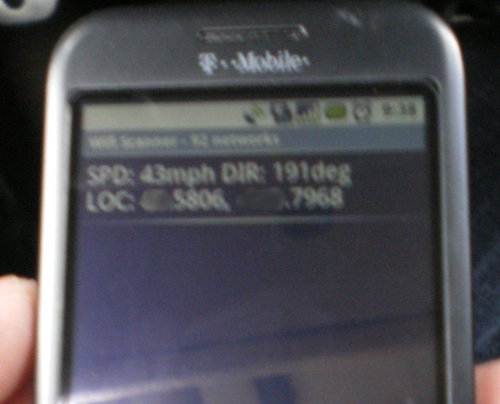
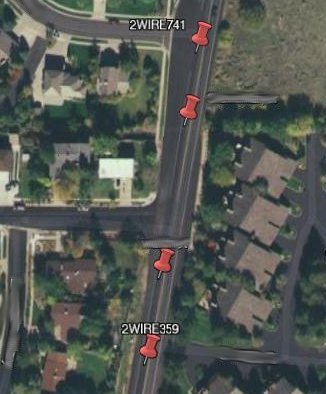
Update! Version 1.2.2 is now out. I had a bug fix to address. Below is the original post from December 21st with the release of version 1.2.
—–
I have finished coding and testing SSHT v1.2, it is available to download on sourceforge… well hopefully. I uploaded it today and for some reason it’s still only showing v1.1 to download. We just may have to wait a couple days and see what happens. As soon as I see the problem resolved I will edit this post to reflect the changes. So go download, try it out, and post in our Forum telling me what you think or any problems you may encounter. Thank you.
Oh, and in case you are wondering, SSHT stands for “Secure SHell Tracker.” I love acronyms.
-DaijoubuKun
Post note: My bad, I missed an option on sf.net. Problem Resolved, now go download it!
In the spirit of Christmas I’m posting a poem I received when I logged into my computer a while back. I took it from a program on my Slackware machine called fortune. Enjoy
‘Twas the night before Christmas — the very last one –
When the blazing of lasers destroyed all our fun.
Just as Santa had lifted off, driving his sleigh,
A satellite spotted him making his way.
The Star Wars Defense System — Reagan’s desire
Was ready for action, and started to fire!
The laser beams criss-crossed and lit up the sky
Like a fireworks show on the Fourth of July.
I’d just finished wrapping the last of the toys
When out of my chimney there came a great noise.
I looked to the fireplace, hoping to see
St. Nick bringing presents for missus and me.
But what I saw next was disturbing and shocking:
A flaming red jacket setting fire to my stocking!
Charred reindeer remains and a melted sleigh-bell;
Outside burning toys like confetti they fell.
So now you know, children, why Christmas is gone:
The Star Wars computer had got something wrong.
Only programmed for battle, it hadn’t a heart;
‘Twas hardly a chance it would work from the start.
It couldn’t be tested, and no one could tell,
If the crazy contraption would work very well.
So after a trillion or two had been spent
The system thought Santa a Red missile sent.
So kids dry your tears now, and get off to bed,
There won’t be a Christmas — since Santa is dead.
Yesterday I received my new Android G1 phone from T-Mobile. It’s very slick, semi decent speeds (3G is NOT available here yet). I do however have a few beefs with the phone, and I’m trying to determine if I wish to keep it or not.
First, the battery life SUCKS! If it’s used like a normal phone (ie calls, and texting) it’s pretty good (atleast that’s what they tell me, I’ll find out tomorrow). Today I used the screen a lot (15 min of gaming, and about 30 to 45 min on the web). Because the screen is SO big and touch sensitive it can and will use a lot of battery power.
Also there is a lack of flash on the phone. Apparently it was going to have it (and my T-Mobile rep said it had it), but apparently not yet… who knows when, and when flash is available will my phone work with it? I sure hope so, this damn thing is costing me a lot of money every month.
With the phone you MUST get a data plan, you don’t have a choice. It starts at $25 a month and that gets you unlimited data (I’m sure they slow you down after a few gigs every month) and 400 texts. Because it so easy to text and it keeps full threads of your conversations I’m sure I’ll be texting a lot more with it, so I may have to go upto the next plan. For $35 a month it adds unlimited texts! Oh, and a quick note. There is an IM program on the phone. Even tho that data is sent as data it will actually cost you 1 text per send or receive. So if you IM a lot you may want to go upto the $35 plan.
So far I do like the phone. Like I said tho, I REALLY wish the damn battery lasted longer. Once there is flash on it then the battery better last a HELL of a lot longer. The current battery is only 1150mAh… come on! I have AA batteries with over twice that mAh (2500mAh to be exact). Maybe if I could figure out how the charger works (like what pins are used, and if any data must first be sent to the phone) I can build a little carry charger. Put some AA batteries in and keep using your phone. I’ve seen them with older Samsung phones, I don’t see why I couldn’t.
Well that’s my rant, I’ll make a new post once I’ve played with the phone more and maybe I’ll keep it, I have 12 more days to decide if I like it enough to keep it.
A little while ago I decided to build a little rss feed for the main site. This way I could have an area for little news information like new pictures. I use the forum for big news like program releases and this blog for cool stuff. So here we go, this is how I built my mini news feed.
The entire thing uses a simple MySQL database, apache, php, and some xml code. To start you MUST edit your mod_php.conf file, look for the line.
See how I have .xml at the end. This is because rss feed use xml, if you don’t add this your php parser will not check your .xml files for php code. Remember you will have to restart your apache server after editing that file.
Now, to make things simple I recommend using phpMyAdmin to help you build a database. After you have installed phpMyAdmin and logged in as root you can create your database.
Once logged in create a new database, lets call it foobar. Create 2 tables ‘admin’ and ‘mininews’. In admin we need 3 Fields,
idx (type 'int(2)', Extra 'auto_increment', put as KEY)
name (type 'tinytext')
pass (type 'tinytext')
Then under mininews
idx (type 'int(100)', Extra 'auto_increment', put as KEY)
news (type 'tinytext')
link (type 'tinytext')
date (type 'timestamp', default 'CURRENT_TIMESPAMP')
Now go to insert a new record in ‘admin’, idx should start at 0, but it doesn’t really matter.
Under name, put a username that you will use to insert new records.
Under pass, put a password you want to use. MAKE SURE YOU SET THE ‘FUNCTION’ IS SET TO PASSWORD! THIS WILL ENCRYPT YOUR PASSWORD!
Go back to the main page with phpMyAdmin and click on the ‘Privileges’ tab. Then create a new user. REMEMBER YOUR USERNAME AND PASSWORD, DO NOT USE THE SAME LOGIN AS ABOVE!
Put in a username, localhost, password, and re-type password. Then click Go, do NOT give that user access over the entire server. On the next screen you can select the database you want the user to have access to, select ‘foobar’.
Only give that user the following privileges under the data area.
SELECT INSERT and UPDATE.
Once done with that you may see an option to update server privileges, if not it may have been done already… I sure hope so.
Now we need some starter php code. This section is used to insert data into the database from the web browser and NOW with phpMyAdmin (altho you are welcome to use it if you so desire).
Here is my mininews_mysql.php file. This will connect to the database for reading and writing.
<?phpdefine('DB_USER','<DB USER>');define('DB_PASSWORD','<DB PASSWORD>');define('DB_HOST','localhost');define('DB_NAME','foobar');$dbc=@mysql_connect(DB_HOST, DB_USER, DB_PASSWORD) OR die('Could not connect to mini news feed database '.mysql_error());mysql_select_db(DB_NAME) OR die('Could not select mini news feed database '.mysql_error());// function for trimming form datafunction escape_data($data){global$dbc;if(ini_get('magic_quotes_gpc')){$data=stripslashes($data);}returnmysql_real_escape_string(trim($data),$dbc);}// end escape data function?>
Now the file used to add a news feed. I call this one mininews_admin.php
<?php// if submitif(isset($_POST['submit'])){require_once('./mininews_mysql.php');// check that uname and upass work in the db$uname= escape_data($_POST['uname']);$upass= escape_data($_POST['upass']);$query="SELECT name FROM admin WHERE name='$uname' AND pass=PASSWORD('$upass')";$result=@mysql_query($query);$row=mysql_fetch_array($result);if($row){// if a match was made$news= escape_data($_POST['news']);$link= escape_data($_POST['link']);// inset data into the database!$query="INSERT INTO mininews (news, link, date) VALUES ('$news', '$link', NOW() )";$result=@mysql_query($query);// run the queryecho"<h1>Completed</h1>";echo"<a href='http://www.tangorangers.com/mininews.php'>Go back!</a>";}else{// if no match was madeecho"WRONG! If you are not an ADMIN you shouldn't even be trying";echo"Click <a href='http://www.tangorangers.com'>here</a> to go home";exit();}// need auto forward back to mininews.phpob_end_clean();mysql_close();}// main script?>
<!DOCTYPE html PUBLIC "-//W3C//DTD HTML 4.01 Transitional//EN">
<HTML>
<HEAD>
<TITLE>TangoRangers dev site</TITLE>
</HEAD>
<BODY>
<FORM METHOD='POST' ACTION='./mininews_admin.php'>
<h3>Enter in the fields and be sure to enter username and password to post</h3>
Title: <INPUT TYPE="text" NAME="news" size=40 /><br />
Full URL: <INPUT TYPE="text" NAME="link" size=40 /><br />
<br />
User Name: <INPUT type="text" name="uname" /><br />
Password: <INPUT type="password" name="upass" /><br />
<br />
<INPUT type="submit" name="submit" value="submit" /><br />
<a href="./mininews.php">Go Back</a>
</FORM>
</BODY>
</HTML>
You are free to edit this as you see fit, the only problem I have is after you insert a new feed it shows you what you started with. It’s kind of annoying, but I live with it.
Now for the actual rss feed!
To start, edit your index.php/html file and include this example line in your
function.
That will add the little rss feed button in the address bar of everyone’s favorite web browser (*cough* Firefox).
Now create a file called ‘mininews.xml’. xml is a pretty easy language to work with, it’s layout is as follows
In the actual file you will need to pull data from the database and for that matter, call the mininews_mysql.php file to form the connection to the database. Here is my file (slightly edited).
<?phprequire_once('./mininews_mysql.php');$query="SELECT DATE_FORMAT(date, '%b %D, %Y at %k:%i') AS date, news AS news, link AS link FROM mininews ORDER BY date DESC";$result=@mysql_query($query);//$row = mysql_fetch_array ($result);$rss='<?xml version="1.0" encoding="iso-8859-1" ?>';$rss.='<rss version="2.0">';$rss.='<channel>';$rss.='<title>Site News</title>';$rss.='<link>http://www.tangorangers.com</link>';$rss.='<description>mini news feed</description>';while($row=mysql_fetch_array($result)){$rss.="
<item>
<title>".$row['news']."</title>
<link>".$row['link']."</link>
<description>on ".$row['date']."</description>
</item>";}$rss.='</channel>';$rss.='</rss>';header("Content-Type: text/xml; charset=iso-8859-1");print$rss;?>
Now this will pull EVERY feed, no limits, so if you have a lot you may want to add in a limiter. Look at the $query line, and add ‘LIMIT #’ at the end, replace # with the actual number.
And that should do it. I think, I don’t think I missed anything, if I did… oops… I’ll fix it. Until next time ^_^
Some time ago I posted in a forum that I was going to hack a moviebeam box. Well lets put it this way, it’s kind of a waste of time. Granted, they say it’s unhackable… not true. I found a great site at http://moviebeam.wikispaces.com/ that gave me a lot of good info. However, upon my own experiments I have found that it’s a HUGE pain in the ass to try to retrieve movies. The problem is when you hot swap the hard drive you only get to use it for about 3 min. This is not enough time to copy a movie off the drive. However, I was able to start playing a movie… at least once. It appeared to be in a standard MPEG-2 format, just like DVDs. So, if you do what is explained on the link above you can get movies.
NOTE! I do not condone stealing! It’s wrong! I did this as an experiment to see if I could do it! It was my first attempt at hardware hacking and I think I did a pretty good job. Below is a way (only a theory, I did NOT test it) to get a movie.
After you have hot swapped the drive setup apache or an ftp server to point at the directory (ie /mnt/sdb2) so you can see the file listings. Then from another computer use
wget
then once the drive stops working repeat the hot swap and use
wget -c
and it should continue where it left off.
I did NOT try this, it’s only a theory. I have stopped my attempts to hack the moviebeam box (mostly because the last thing I want is a lawsuit). If you are able to hack it and steal movies… well shame on you.